Checkout Experience in Cambodia: How a Fast, Accurate Checkout Brings Customers Back
The checkout experience in Cambodia is the last thing a customer sees in your shop, and often the part they remember most. A customer can enjoy your products, your service, and your prices, and still leave with a poor impression if the end is slow, confusing, or full of small mistakes. Waiting in a line, watching a cashier add up numbers by hand, or discovering a wrong price on the receipt can undo a good visit in a minute.
The good news is that a great checkout isn’t complicated. It comes down to four things: speed, accuracy, choice of payment, and a clear record. Here is what each means, and how to get them right.
What Customers Notice at Checkout
1. How long they wait Nobody enjoys a line. A long wait makes people feel their time doesn’t matter, and some will simply leave without buying.
2. Whether the price is right A wrong price, a forgotten discount, or the wrong change are the mistakes customers remember. One error is enough to make them check every bill from then on.
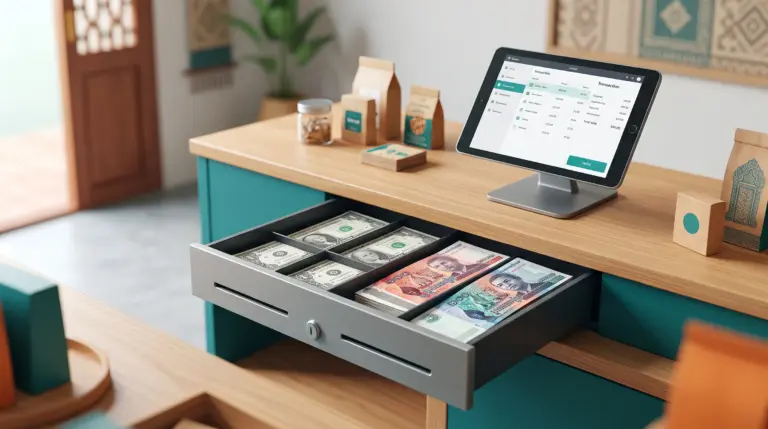
3. Whether they can pay the way they like In Cambodia, customers pay in cash, by KHQR, and by ABA PayWay, and many handle both dollars and Riel. A shop that can’t take a customer’s preferred payment creates a problem at the worst moment.
4. Whether they get a clear receipt A receipt that shows what they bought and what they paid gives the customer confidence and gives you a record if they ever have a question.
5. How the staff behave A cashier who is calm, friendly, and not struggling with the system makes the whole experience feel better.
What Goes Wrong at a Manual Checkout
- Prices typed or remembered from memory, which invites mistakes
- Totals and change worked out by hand, which are slow and easy to get wrong, especially across two currencies
- QR payments checked on a separate phone, which adds a pause at the counter
- Handwritten or missing receipts, which leave customers and shops without a clear record
- One counter doing everything, so a busy hour becomes a queue
None of these are caused by careless staff. They come from asking people to do, by hand, work that a system does better.
How a POS Improves Checkout
1. Scan instead of type Barcode scanning, by a phone or tablet’s built-in camera or a connected scanner, brings up the right product and price, so lines move faster and prices are right.
2. Totals calculated for you The system adds up the sale, so the cashier isn’t doing math under pressure.
3. Payment the way customers prefer Cash, KHQR, and ABA PayWay are supported at checkout, and MyLekha supports payments in USD or Riel.
4. A receipt every time Receipts print as part of checkout, and can be customized with your business details.
5. Checkout anywhere in the shop With a mobile POS, a team member can take payment on the shop floor, at a table, or at the door, which shortens the queue at the counter during busy hours.
6. Calm handling of returns Refunds are supported and linked to the original sale, so a return is a quick, clear process instead of an argument.
Small Habits That Make a Big Difference
A system helps, but the people using it matter just as much. These habits cost nothing:
- Greet the customer before starting to ring them up
- Say the total out loud so the customer can confirm it
- Offer a receipt, even if you expect them to say no
- Say thank you and mean it
- Stay calm when something goes wrong. A mistake handled kindly is often remembered better than no mistake at all
How to Tell Whether Your Checkout Is Working
You don’t need special tools to check. Watch your counter during your busiest hour and ask:
- How long does the longest wait last?
- Do customers ever leave the line?
- How often does a price, a total, or a change need correcting?
- Can customers pay the way they want to?
- Does every customer get a clear record of their purchase?
If the answers surprise you, you’ve found where to improve. Our post on how to find your best selling products shows another way to learn from your sales data.
Quick Comparison
| Manual Checkout | Checkout With a POS | |
|---|---|---|
| Finding the price | Typed or remembered | Scanned |
| Total and change | Calculated by hand | Calculated by the system |
| Payments | Cash, QR checked separately | Cash, KHQR, and ABA PayWay in one flow |
| Currencies | Mental math | USD or Riel supported |
| Receipt | Handwritten, or none | Printed at checkout |
| Busy hours | One counter, one line | Checkout anywhere with a mobile POS |
| Returns | An argument or a note | Linked to the original sale |
Getting Started
You can improve your checkout without changing everything at once. Start with your product list and one device, and add more as you need them. Most MyLekha customers load their catalogue and start selling within a day. See everything the system includes on our features page, or check current plans on the pricing page.
FAQ
Does a faster checkout really bring customers back? It helps. Customers remember waiting, mistakes, and payment problems, and a smooth checkout removes the things they’d remember for the wrong reasons.
Can I take KHQR payments at checkout? Yes. KHQR and ABA PayWay are supported at checkout.
Can I serve customers when there’s a line at the counter? Yes. A mobile POS lets staff take payment anywhere in the shop.
Can customers pay in dollars or Riel? Yes. MyLekha supports payments in USD or Riel.
Do I need to change my whole shop to improve checkout? No. You can start with one device and your product list, and add more over time.
Ready to Make Checkout Something Customers Remember?
See how MyLekha helps you check customers out faster and more accurately. Start your free 15-day trial today, no credit card required.