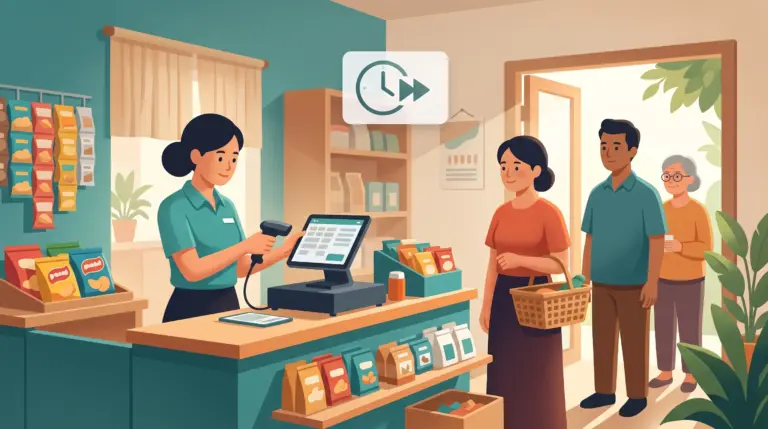
Setting Up Your First POS in Cambodia: What Actually Happens in Your First Week
“How long will this take to set up?” is one of the first questions almost every business owner asks before switching to a POS system — and it’s a fair one. Nobody wants to close their shop for two days or hand their team a system nobody understands.
The good news: switching to a POS is a much smaller event than most owners expect. Here’s what the first week actually looks like, day by day, for a typical café, retail shop, or service business in Cambodia moving onto MyLekha.
Day 1–2: Setting Up Your Product Catalogue
This is the biggest piece of work, and it happens before you ever open for sales on the new system. You (or the MyLekha team, if you choose setup support) load in your products, prices, categories, and any variants — sizes, flavours, modifiers — so the system matches how you actually sell.
For a small café or retail shop with a focused menu or product list, this is often finished within a single day. Larger inventories with many variants may take a little longer, but it’s still typically wrapped up well within the first two days.
Day 2–3: Setting Up Hardware and Staff Accounts
Whether you’re using a tablet, a handheld mobile POS set, or a full desktop terminal, hardware setup is quick — most devices are ready to take a sale within minutes of being switched on and logged in.
At the same time, staff accounts get created with the right permissions: who can process refunds, who can view reports, who’s restricted to just taking sales. This is also when KHQR and ABA PayWay are connected, so your team can accept the payment methods Cambodian customers already expect.
Day 3–4: Staff Training
Training doesn’t require pulling your whole team off the floor for a day. Most staff pick up the basics — ringing up a sale, applying a discount, taking a QR payment — within a short session, because the interface is built to be simple from the first tap.
MyLekha’s team provides guided training as part of setup, walking your staff through the exact workflow they’ll use every shift: opening a sale, adding items, taking payment, closing out.
Day 4–5: Running Alongside Your Old System
Many businesses choose to run their new POS alongside their old process — whether that’s a previous system or a notebook — for a day or two. This isn’t required, but it gives your team a comfortable buffer to get confident before fully switching over, with no pressure if a step needs repeating.
Day 5 Onward: Fully Live
By the end of the first week, most businesses are fully running on MyLekha — every sale, stock update, and report already flowing into the dashboard automatically. From this point, there’s no separate backup step and no manual reporting; it’s all just part of using the system day to day.
What Slows a Setup Down (and How to Avoid It)
A very large, unorganized product list If your inventory has hundreds of items with no existing structure, catalogue setup takes longer. Having a rough list of products and categories ready before setup starts speeds this up significantly.
Multiple locations at once Setting up one store is fast. Setting up several stores simultaneously takes more coordination — most businesses onboard their first location fully, then roll out to additional branches once the team is comfortable.
Waiting until launch day to think about payment methods Confirming your KHQR and ABA PayWay details ahead of setup day means your team can start taking every kind of payment from their very first live sale.
Getting Started
None of this requires closing your shop or disrupting a normal week of business. Most MyLekha customers move their product catalogue over and start taking live sales within a day, with full training and support included.
FAQ
Do I need to close my shop to set up a POS? No. Setup happens alongside normal operations, and most businesses are taking live sales on the new system within a day.
How long does staff training actually take? Basic training — ringing up sales, applying discounts, taking QR payments — typically takes a short session per staff member, not a full day.
What if my product list is really large? Larger catalogues take a bit longer to load, but having your product and category list organized beforehand speeds this up considerably.
Can I set up more than one store at the same time? Yes, though most businesses find it easier to fully onboard one location first before adding others.
Ready to See How Fast You Can Get Started?
See how quickly your business can be up and running on MyLekha’s cloud POS — start your free 15-day trial today, no credit card required.