Notebook to POS Cambodia: A Simple First-Week Plan for Making the Switch
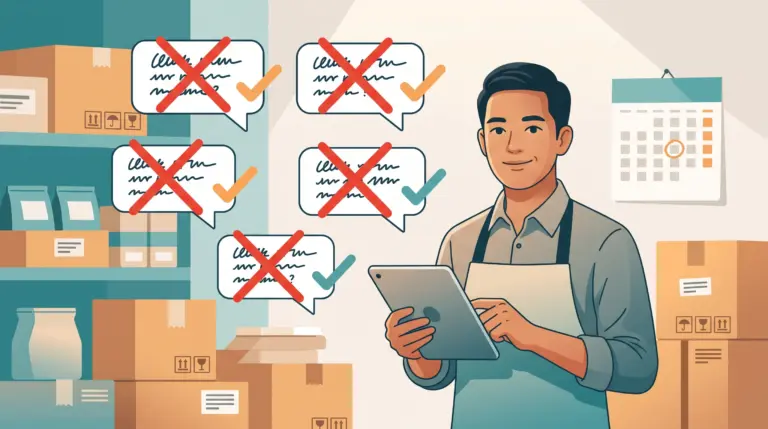
The notebook has worked for years. Every sale goes in by hand, the owner adds it up at night, and the numbers mostly match the cash in the drawer. So why change? Because the notebook only tells you what happened if someone wrote it down correctly, and it can’t tell you what’s running low, who sold what, or whether this month was really better than last.
The hard part of moving to a POS isn’t the software. It’s the fear of disrupting a shop that already works. This guide gives you a notebook to POS Cambodia plan for your first week, so you switch gradually, keep selling, and never feel lost.
Why Owners Delay the Switch
1. “It will slow down my shop” Learning anything new feels slow at first. But a switch done in small steps, with the notebook still beside you, doesn’t stop sales.
2. “My staff won’t learn it” Most staff learn a simple checkout in a day or two. The key is letting them practice before the busy hours, not during them.
3. “I don’t have time to set it up” Setup is mostly adding your product list once. Most MyLekha customers load their catalogue and start selling within a day.
4. “The notebook is good enough” It may be, until stock goes missing, a price is forgotten, or you want to check the shop while you’re away.
Your First-Week Plan
Day 1: Prepare your product list
Before opening any system, write down what you sell: product names, prices, and categories. If you sell items in sizes or flavors, note those too. You are not learning software yet, just collecting what you already know.
You’re checking: whether your prices and product names are clear and consistent.
Day 2: Set up your products and staff
Start your free trial, add your products with their prices, and create accounts for the staff who will use the system. Connect your receipt printer if you use one. If you want help, ask the MyLekha team about setup and training.
You’re checking: whether adding products feels simple, and whether the setup matches how you sell.
Days 3 to 4: Practice without pressure
Ring up practice sales during quiet hours or after closing. Try a cash sale, a KHQR or ABA PayWay payment, a discount, and a refund. Let every staff member try, especially the ones who are less comfortable with technology.
You’re checking: whether each person can complete a sale without help.
Days 5 to 6: Run both side by side
Now use the POS for real customers, but keep writing in the notebook too. At the end of each day, compare the two. If the totals match, you can trust the system. If they don’t, you’ve found a gap while it’s still easy to fix.
You’re checking: whether the POS totals match your notebook and your cash.
Day 7: Put the notebook away
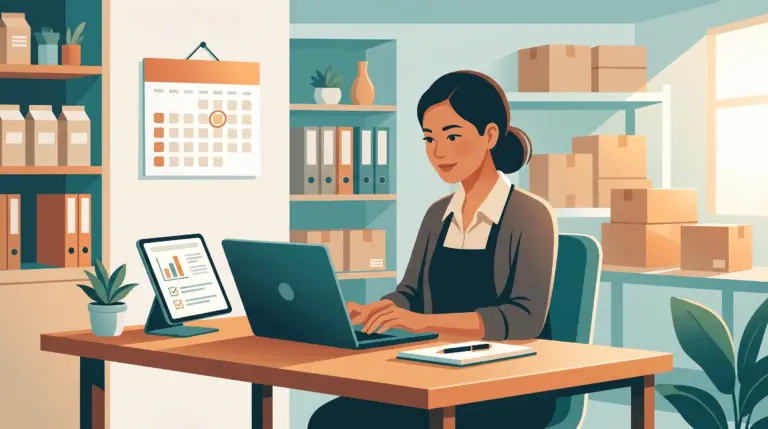
If the numbers matched on days 5 and 6, stop writing sales by hand. Open your reports and look at what the system shows: sales, best sellers, and stock. This is the first time you’ll see your shop’s numbers without adding anything up yourself.
You’re checking: whether the reports answer the questions you used to answer by hand.
What Changes After the Switch
1. Sales are recorded at the moment they happen Nobody has to remember or add up at night.
2. Stock updates with every sale You can see what’s running low, and run inventory counts to compare against the shelf.
3. Every sale is tied to a staff member You can see who sold what, with permissions that control what each person can do.
4. You can check the shop from anywhere The MyLekha Dashboard works on iOS, Android, and the web, so you don’t need to be at the counter.
5. Payments are handled in one flow KHQR and ABA PayWay sit alongside cash at checkout, with a breakdown in your daily reports.
Mistakes to Avoid During the Switch
1. Switching on your busiest day Start in a quiet week, not before a holiday or a big event.
2. Skipping the side-by-side days Running both for a short time is your safety net. It’s how you build trust in the numbers.
3. Adding only a few sample products Use your real catalogue and prices, so practice feels like real life.
4. Training only yourself If your staff don’t feel comfortable, the system won’t be used properly. Include them from day two.
5. Waiting for the perfect setup Start with your main products and add the rest as you go.
Quick Comparison
| Notebook | POS | |
|---|---|---|
| Recording a sale | Written by hand | Recorded at checkout |
| Daily totals | Added up at night | Ready in a report |
| Stock | Counted occasionally | Updates with every sale |
| Who made the sale | Remembered | Recorded on every sale |
| QR payments | Checked separately | Built into checkout |
| Checking the shop remotely | Not possible | From your phone |
Who This Is For
- Small shops and minimarts still using paper records
- Cafés and bakeries with growing queues
- Beauty and service businesses that track sales by hand
- Owners planning a second branch who want clean records first
Getting Started
You can start with a free 15-day trial and follow the plan above using your real products. See everything the system includes on our features page, or check current plans on the pricing page. If you want a step-by-step way to test it, our guide to testing a POS in a free trial pairs well with this one.
FAQ
How long does it take to switch from a notebook to a POS? Most shops can set up their products and start practicing within a day, then run side by side for a few days before relying on the system fully.
Do I have to stop using my notebook right away? No. Running both for a few days is a good way to confirm the totals match before you stop.
What if my staff aren’t comfortable with technology? Let them practice during quiet hours first. A simple checkout is usually learned within a day or two, and training support is available if you want it.
Will I lose my old records? Your notebook stays as it is. The POS starts recording from the day you begin selling with it.
What if the internet is unreliable? Orders keep flowing during an outage and sync automatically once you’re back online.
Ready to Leave the Notebook Behind?
Start your free 15-day MyLekha trial and follow the first-week plan with your real products. No credit card required.