

Minimart POS Cambodia: How to Run a Busy Shop With Less Stress
A minimart POS Cambodia shop owners can rely on has to handle a lot of small things at once: hundreds of items, quick sales, and customers who pay in different ways. One customer buys a single drink and pays in Riel. The next buys ten items, pays part in dollars, and wants a receipt. Meanwhile, the shelves keep emptying, and nobody is quite sure by how much.
A minimart is a business of small margins and big volume. That makes accuracy at the counter and control over stock matter more than almost anywhere else. Here is where a POS helps most in a minimart, day by day.
What Makes a Minimart Hard to Manage: Minimart POS Cambodia
1. Too many items to remember A minimart can carry hundreds of products, many of them similar. No cashier can remember every price, and no owner can remember every stock level.
2. Customers who want to be served fast People stop in for one or two things and expect to leave quickly. A slow checkout loses customers who have other places to go.
3. Mixed payments and currencies In Cambodia, a counter often handles cash in Riel, cash in dollars, and QR payments in the same hour. Doing this by hand invites mistakes.
4. Stock that disappears without a record Small items sell constantly, and some go missing, expire, or get miscounted. Without records, you only notice when a shelf is empty or a count doesn’t match.
How a POS Helps at a Minimart Counter
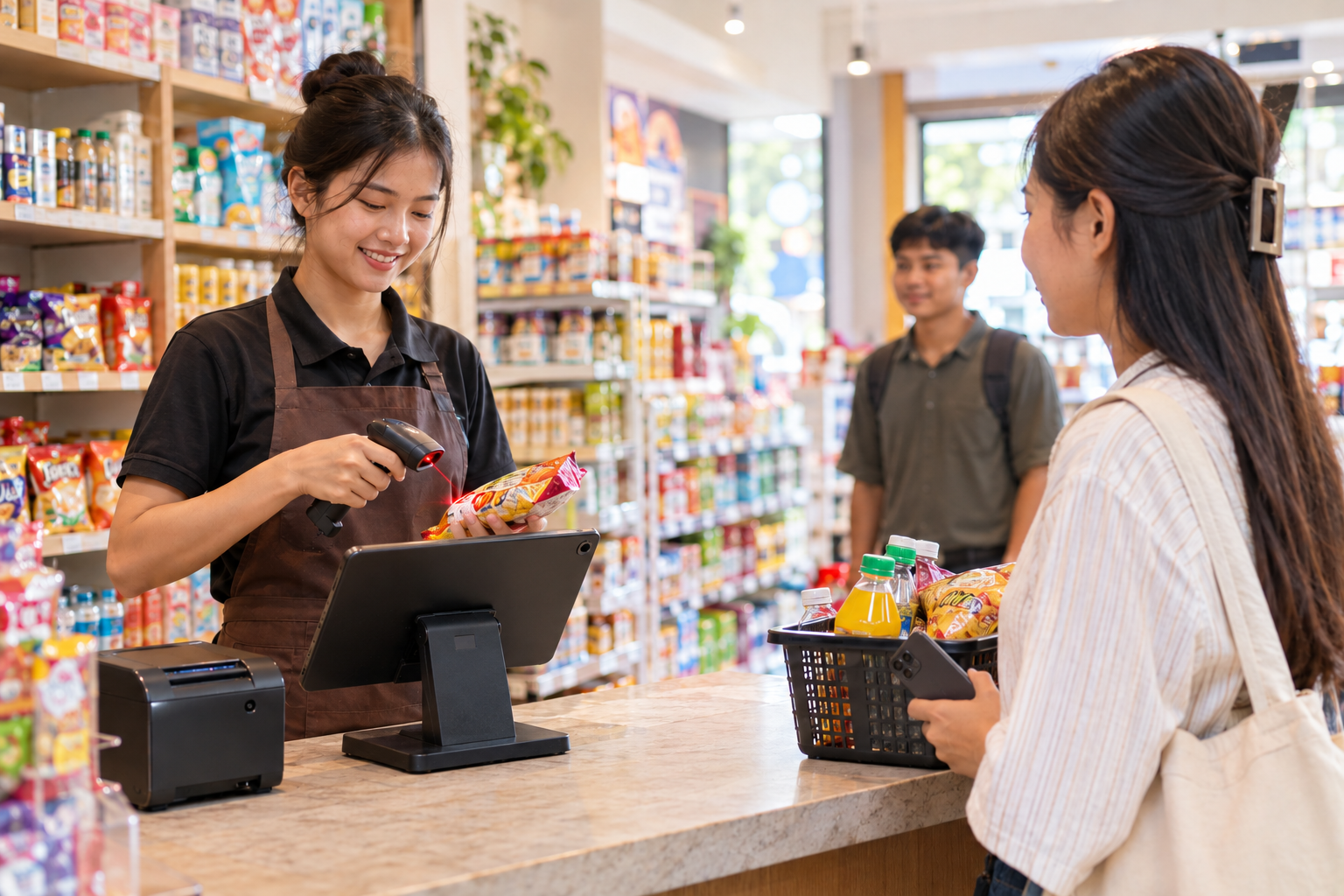
1. Scan instead of type or search Each item is scanned and its price comes up automatically. MyLekha can scan barcodes using a phone or tablet‘s built-in camera, or with a connected barcode scanner for busier counters. A mistyped price or a wrong item is much less likely, and lines move faster.
2. Accept the way customers pay KHQR and ABA PayWay payments sit alongside cash at checkout, and MyLekha supports payments in USD or Riel. Cashiers stop doing currency math in their heads, and every payment lands in the right place in your reports.
3. Print a receipt when a customer wants one Receipts print as part of checkout, so there’s no extra step to slow the line.
4. Keep stock honest Every sale updates your stock, and you can run inventory counts and stock adjustments in the system. When the shelf count and the system disagree, you see the gap and can look into it, instead of finding out months later.
5. Know what sells Reports show your best sellers and slow movers by item and category, so you can stock more of what moves and stop buying what doesn’t. In a minimart, where cash is tied up in stock, this matters a lot.
6. Control who can do what Not every staff member needs access to everything. Permissions let you decide who can give discounts, process refunds, or see reports, and every action is linked to the person who did it.
7. Check the shop from anywhere The MyLekha Dashboard works on iOS, Android, and the web, so you can see the day’s sales without being at the counter. If you run more than one minimart, you can manage them all in one account.
A Typical Day, Before and After
Without a POS: the cashier types or remembers prices, calculates change across two currencies, and writes sales in a notebook. At night, the owner adds it up, guesses what needs reordering, and hopes the cash matches.
With a POS: items are scanned, payment is taken in the way the customer prefers, and stock updates by itself. At the end of the day, the owner opens a report and sees what was sold, how it was paid, and what is running low.
Quick Comparison
| Manual Minimart | Minimart With a POS | |
|---|---|---|
| Finding prices | Memory or typing | Scan the barcode |
| Payments | Cash by hand, QR checked separately | Cash, KHQR, and ABA PayWay in one flow |
| USD and Riel | Mental math | Handled in the system |
| Stock counts | Occasional manual count | Updates with every sale, with counts when needed |
| Best sellers | A guess | Reports by item and category |
| Staff control | Everyone can do everything | Permissions per person |
| Checking the shop | Only in person | From your phone |
Getting Started
Moving a minimart onto a POS starts with your product list. Most MyLekha customers load their catalogue and start selling within a day. Products with barcodes can be scanned straight away, and items without barcodes can be added and searched by name. You can see how this fits together on our features page, or check current plans on the pricing page.
FAQ
Can I scan barcodes without buying a scanner? Yes. A phone or tablet’s built-in camera can scan barcodes. A connected barcode scanner is also supported for higher-volume counters.
What if some of my products don’t have a barcode? You can still add them to the system and find them by name at checkout.
Can my cashiers take payments in both USD and Riel? Yes. MyLekha supports payments in USD or Riel.
Can I take KHQR payments at the counter? Yes. KHQR and ABA PayWay are supported at checkout.
Can I manage more than one minimart? Yes. MyLekha supports multi-store management, so you can run several shops from one account.
Ready to Make Your Counter Faster?
See how MyLekha helps a minimart scan faster, take every payment, and keep stock under control. Start your free 15-day trial today, no credit card required.
Related Reading
- Tablet vs Phone vs Desktop POS in Cambodia: Which Device Suits Your Business?
- Salon POS Cambodia: Simple Checkout, Clear Staff Records, Fair Commission
- Boutique POS Cambodia: Keeping Sizes, Colors, and Checkout Under Control
- Kitchen Display System Cambodia: Why Restaurants Are Moving Beyond Paper Tickets