


Customer Display Themes: Festival Looks and Slideshows for Your Counter
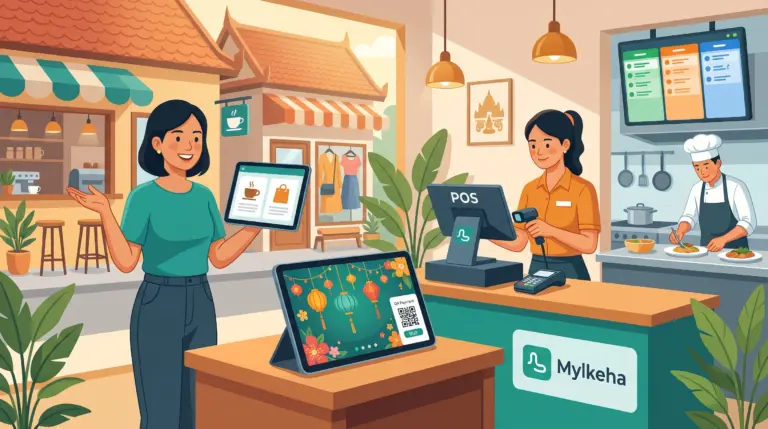
Most shops use a customer display to show items and totals. That’s useful, but the screen can do more. During Khmer New Year it can wear the festival colors. While customers wait, it can show your best products. At the end of the sale, it can thank them by name of your shop.
According to MyLekha’s Features page, the customer display themes and screens include several options you may not be using yet.
What the customer display can show
- The sale itself: items, images, quantities, categories, modifiers, discounts, VAT and totals
- Payment: a KHQR or ABA payment popup
- A slideshow and product recommendations
- English and Khmer
- Themes: Dark, Chinese New Year, Khmer New Year, Pchum Ben, Water Festival and Christmas
- A store timezone clock
- A custom thank-you screen
- Native and HTML webview templates
See also MyLekha Customer Display for the basics.
Why themes and slideshows matter
Festival themes show you’re part of the season. A display that matches Khmer New Year or the Water Festival feels welcoming, and it costs nothing extra to switch.
A slideshow uses waiting time. Between customers, the screen can show promotions, new items or your menu, instead of sitting blank.
Recommendations help sell. Showing related products at the right moment can lead to an extra item in the basket.
Khmer and English fit your customers. Visitors and locals can read the screen in the language they prefer.
A thank-you screen leaves a good last impression. A short message at the end of the sale makes the visit feel complete.
A simple plan for your display
- Choose a language that suits most of your customers
- Pick a theme for the season. Switch it a few days before each festival. See Plan for Peak Season
- Prepare your slideshow with two or three of your best offers. See Product Bundles and Running Discounts and Promotions
- Write a short thank-you message in your own words
- Test the KHQR popup before the busy day. See KHQR Payment POS Cambodia
- Check your plan. Features, devices and stores are managed by your subscription. See Which POS Plan Is Right for Your Business
Tips
- Keep slideshows short. Two or three clear slides work better than many
- Update them regularly, so customers don’t see the same slide for months
- Match the offer to the stock. Don’t promote something you’ve run out of
- Place the screen where customers can see it without leaning
Conclusion
A customer display can be more than a calculator. With seasonal themes, a slideshow and a thank-you screen, it becomes part of your brand. Start with one change this week, and see how customers react.
Explore MyLekha POS features, see plans, or talk to our team about your counter.
FAQ
Which themes are available?
Dark, Chinese New Year, Khmer New Year, Pchum Ben, Water Festival and Christmas.
Can the display show Khmer?
Yes. It supports English and Khmer.
Can it show a slideshow?
Yes. It supports a slideshow and product recommendations.
Can I add a thank-you message?
Yes. It supports a custom thank-you screen.
Can I try MyLekha for free?
Yes. The Starter plan is a free 15-day trial.