Kitchen Display System Cambodia: Why Restaurants Are Moving Beyond Paper Tickets
It’s a Friday night in Siem Reap. The dining room is full, the bar is calling out drinks, and the kitchen is stacking up paper tickets faster than the cooks can read them. One ticket slides off the rail. Another has a smudged note about “no peanuts” that nobody sees. A table that ordered twenty minutes ago is still waiting, and nobody in the kitchen knows why.
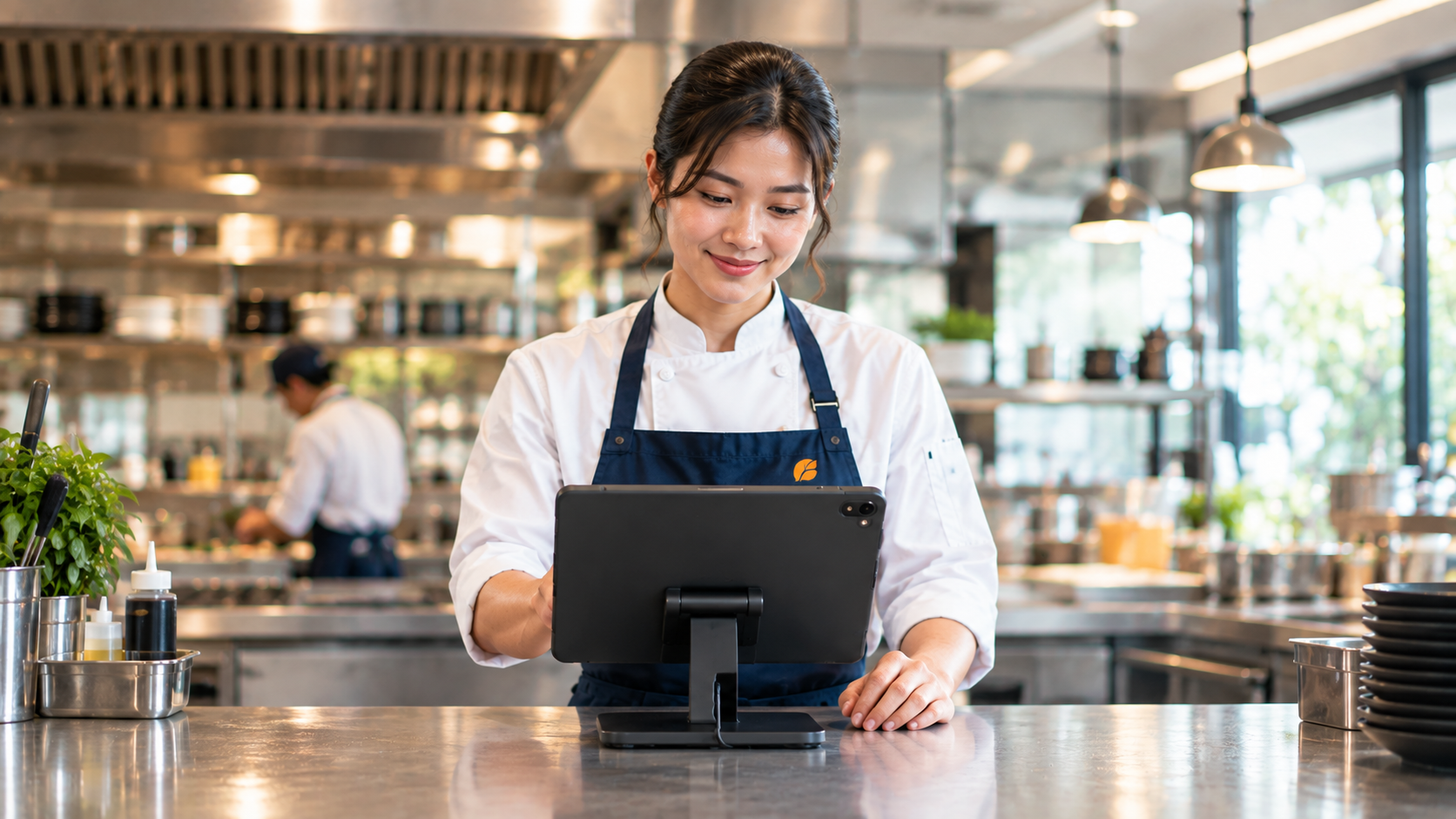
A kitchen display system Cambodia restaurant owners can rely on fixes this by replacing paper with a live screen. Every order goes from your POS to the kitchen the moment it’s placed, so your team always knows what to cook, what’s waiting, and what’s ready to go out.
Why Paper Tickets Cause Problems in Busy Kitchens
Paper tickets work when a kitchen is quiet. During a rush, the cracks start to show:
1. Tickets get lost, misread, or missed A ticket that falls, gets smudged, or is buried under others can mean a wrong dish, a late dish, or no dish at all, and an unhappy customer either way.
2. Someone has to carry the order to the kitchen Every trip between the counter and the kitchen takes a staff member off the floor. During peak hours, those minutes add up.
3. Nobody knows how long an order has been waiting Without a clear timer, a slow order only becomes obvious when the customer complains.
4. There’s no record of who cooked what When dishes leave the kitchen with no tracking, it’s hard to see who is fast, who is overloaded, or where the bottleneck is.
5. The kitchen gets loud Shouting orders across the pass is normal in many kitchens, but it’s also how details get lost.
How a Kitchen Display System Works
The idea is simple. When a waiter or cashier enters an order in your POS, it appears instantly on a screen in the kitchen. The kitchen team then moves each order through clear stages, and everyone can see where things stand at a glance.
With the MyLekha Kitchen Display System, orders move through New, Preparing, Ready, and Served columns. Each ticket is color-coded, so your team can tell what needs attention first without reading every line.
Kitchen Display System Cambodia: Features Built for Busy Kitchens
1. Instant order delivery Orders appear on the kitchen screen the second they’re placed at the POS. There’s no printing and no walking tickets to the kitchen.
2. Color-coded order board Track every order through New, Preparing, Ready, and Served at a glance, so nothing gets forgotten during a rush.
3. Per-item tracking Mark individual dishes as cooking, ready, or served. The system automatically records which chef handled each item.
4. Built-in timers A live countdown on every ticket shows how long an order has been waiting, so slow orders get noticed before the customer has to ask.
5. Multi-station and multi-store filtering View orders by station, such as Grill, Prep, or Pizza, so each cook sees only what’s relevant to them. If you run more than one branch, you can also view orders across every branch from one screen.
6. Smart thermal printing Still need a printed ticket at a particular station? Print over Bluetooth, Ethernet, or USB, split by station, with automatic reconnection if the printer drops.
7. Works offline If your internet connection drops, orders keep flowing. Everything syncs automatically once you’re back online.
8. Khmer and English support The interface is fully bilingual, including Khmer-language printed receipts, so your whole team can use it comfortably.
See How Your Kitchen Is Performing, Not Just What Orders Came In
Most owners know how many orders they served. Far fewer know how long each stage really took, or who was carrying the heaviest load. The MyLekha Kitchen Performance Dashboard shows you:
- Kitchen Pulse: total orders, items completed, completion rate, and average prep time for today, yesterday, or this week
- Chef Leaderboard: rank staff by items completed and spot your top performers
- Live Workload View: see who is carrying the most active orders right now
- Time-to-Serve Funnel: break total prep time into order-to-start, cooking, and ready-to-serve stages, so you can see exactly where delays happen
- Hourly Activity Chart: find your peak hours and schedule the right number of people for them
- Station and Order-Type Breakdown: see how work is spread across Grill, Prep, and Pizza stations, and across dine-in, takeout, and delivery
This turns a vague feeling that “the kitchen is slow on weekends” into something you can see and fix: maybe orders wait too long to be started, or one station is overloaded.
Quick Comparison
| Paper Tickets | Kitchen Display System | |
|---|---|---|
| Order delivery | Printed and carried by hand | Instant, straight from the POS |
| Order status | Guesswork | New, Preparing, Ready, Served |
| Wait time | Not visible | Live timer on every ticket |
| Lost or misread tickets | Common during rushes | Digital, always on screen |
| Who cooked what | Not tracked | Recorded per item |
| Kitchen performance | No data | Dashboard with prep times and peak hours |
| Language | Whatever staff write | Khmer and English interface |
Who Benefits Most
- Restaurants with dine-in service and several stations working at once
- Cafés and bakeries that get sudden rushes of drinks and food orders
- Multi-branch F&B owners who want to see every kitchen from one screen
- Businesses with dine-in, takeout, and delivery that need to keep different order types organized
Getting Started
A kitchen display system works together with your MyLekha POS, so orders flow from the counter or table straight to the kitchen without extra steps. Explore everything the system includes on our features page, or see current plan details on the pricing page.
FAQ
Do I still need to print paper tickets? No, though you can if you want to. Orders appear on the kitchen screen automatically, and if a station still prefers a printed ticket, you can print by station over Bluetooth, Ethernet, or USB.
Can I use different screens for different stations? Yes. You can filter orders by station, such as Grill, Prep, or Pizza, so each cook sees only the orders that matter to them.
Can I see how fast my kitchen is? Yes. The Kitchen Performance Dashboard shows average prep time, a time-to-serve breakdown, hourly activity, and how work is distributed across stations and order types.
Does it work in Khmer? Yes. The interface is fully bilingual in Khmer and English, including Khmer-language printed receipts.
What happens if the internet goes down? Orders keep flowing, and everything syncs automatically once your connection is restored.
Ready to Retire the Paper Tickets?
See how MyLekha’s Kitchen Display System keeps every order visible, on time, and accounted for. Start your free 15-day trial today, no credit card required.