MyLekha Apps Explained: POS, Dashboard, Display and Kitchen
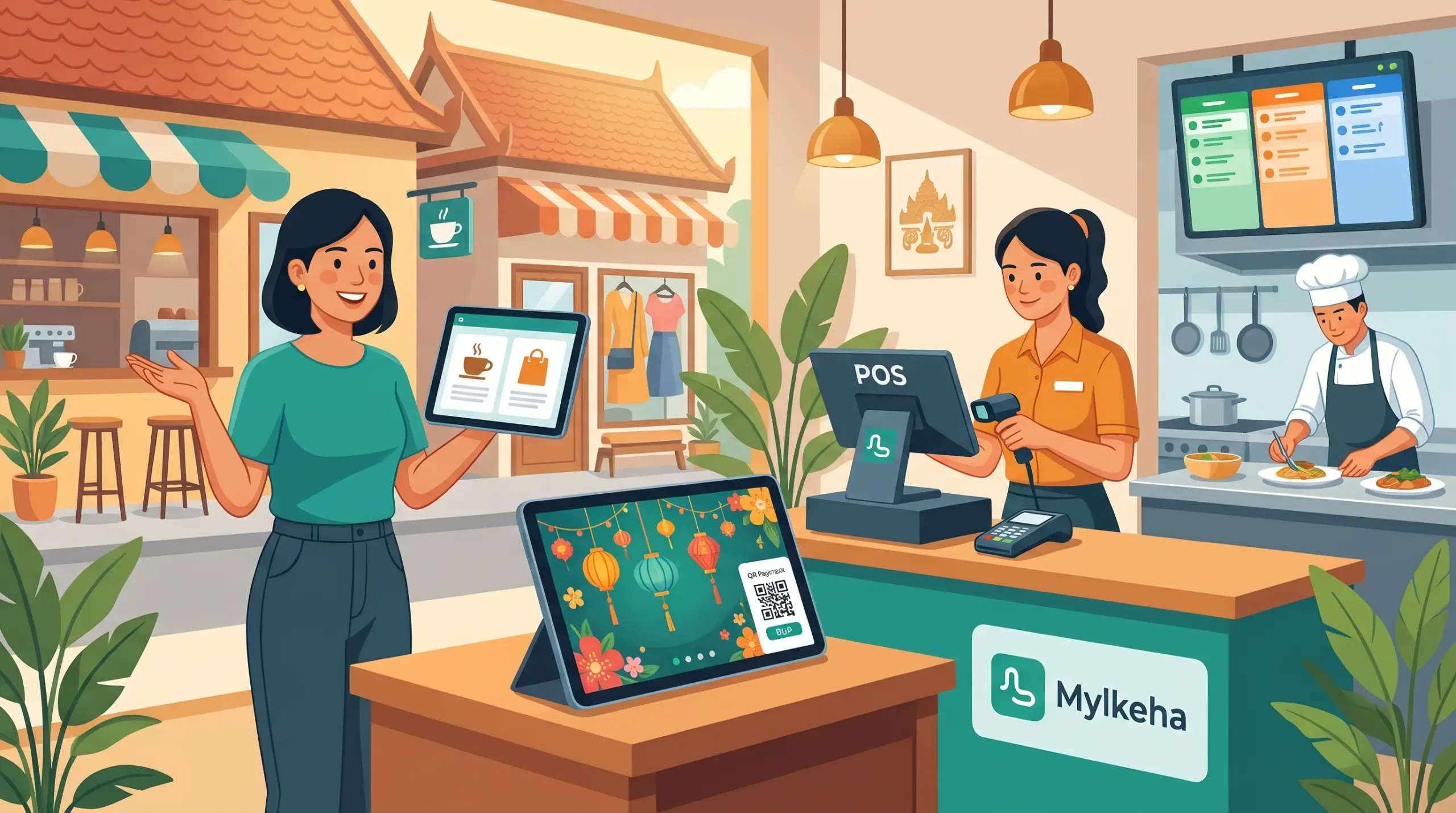
New owners often ask, “Which MyLekha app do I need?” The answer is that MyLekha isn’t one app. It’s a small family of apps that work together, and each one has a clear job. Here’s a simple guide.
The four apps
According to MyLekha’s Features page, the product family includes:
App
What it’s for
Who uses it
MyLekha POS
Selling at the counter: sales, quotes, refunds, payments
Cashiers and waiters
MyLekha Dashboard
Managing your business: sales, inventory, employees, customers, reports
Owners and managers
MyLekha Display
A real-time customer screen at the counter
Customers
MyLekha Kitchen
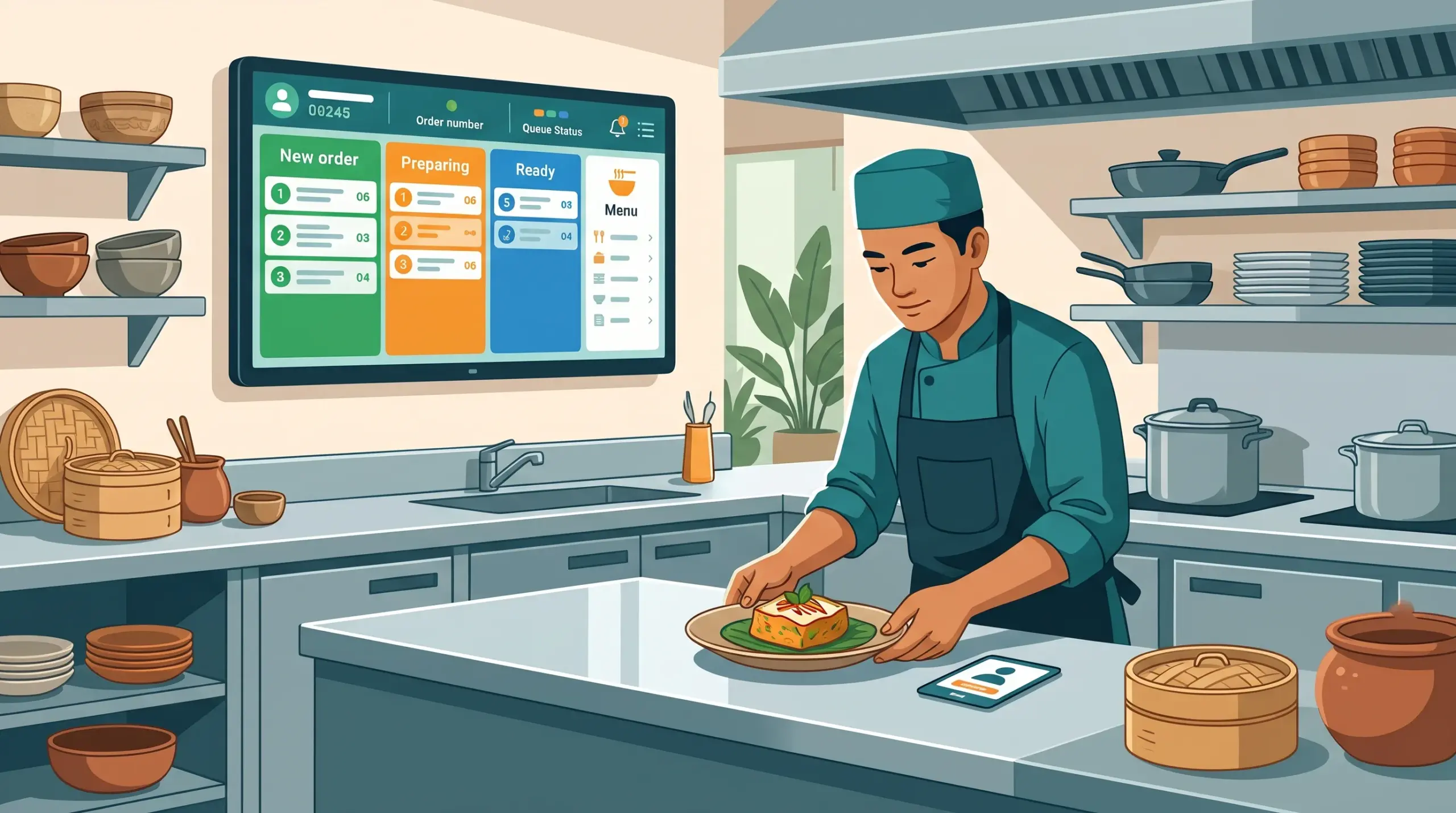
A live, color-coded ticket board for the kitchen
Kitchen staff
MyLekha POS
This is where sales happen. It works on a phone, tablet or computer, scans barcodes with the camera, takes cash, KHQR and ABA PAY, and prints or sends invoices. See Mobile POS and Faster Checkout POS Cambodia.
MyLekha Dashboard
This is for the owner. You can manage products, stock, staff, customers and reports, and check your business from anywhere. It’s available for iOS, Android and Windows, and on the web. See The 2-Minute Dashboard Check and Run a Shop Part Time in Cambodia.
This is for restaurants and cafés. Orders reach the kitchen instantly, with clear status columns, replacing paper tickets. See Kitchen Display Staff Tracking.
Which apps do you need?
Your business
Start with
Add later
Small shop or stall
POS + Dashboard
Display
Minimart or retail shop
POS + Dashboard
Display
Café with takeaway
POS + Dashboard
Display, Kitchen
Restaurant
POS + Dashboard + Kitchen
Display
Several branches
POS + Dashboard
Display, Kitchen
You don’t need all four on day one. Start with POS and Dashboard, then add what your counter needs.
Plans and devices
Your subscription decides how many stores, staff accounts and devices you can use. See Which POS Plan Is Right for Your Business. Check the pricing page to see which apps and features each plan includes.
Add the Dashboard to your phone and check your sales each evening
Add Display when you want customers to see their order and pay by QR
Add Kitchen when your orders outgrow paper tickets
Conclusion
MyLekha works best when each app does its own job: POS for selling, Dashboard for managing, Display for customers and Kitchen for orders. Start small, add what you need and let the system grow with your business.
Kitchen Display Staff Tracking: Know Who Prepared What
Kitchen Display Staff Tracking: Know Who Prepared What
When a dish goes out wrong, the first question is always the same: who made it? Without a record, the answer is a guess, and kitchens can turn tense. When a dish comes out perfect, there’s no record either, so nobody gets the thanks they deserve.
According to MyLekha’s Features page, MyLekha Kitchen can automatically link finished dishes to the staff member who prepared them. Used well, kitchen display staff tracking helps you train, recognize and improve, without blame.
What MyLekha Kitchen does
Sends orders to the kitchen instantly, replacing paper tickets
Tracks each order from start to finish using clear status columns
Links finished dishes to the staff member who prepared them
Use the first weeks to teach, not to judge. See New Cashier Training POS for a similar day-one approach.
A quick checklist
Team told why you track
Rules agreed together
Weekly review scheduled
Praise public, correction private
Patterns reviewed, not single errors
Orders recorded clearly before the kitchen
Conclusion
Tracking who prepared what isn’t about watching people. It’s about giving good cooks credit and helping new ones improve. Explain it kindly, use it fairly and your kitchen will feel clearer for everyone.
Multiple Businesses in One POS Account: How to Organize
Multiple Businesses in One POS Account: How to Organize Them
Many Cambodian owners run more than one thing: a café and a mini-mart, a salon and a small shop, a restaurant and a catering side. Each business has its own sales, stock and staff. Keeping them in one notebook, or one tangled spreadsheet, is a recipe for confusion.
According to MyLekha’s Features page, you can manage multiple companies or different industries within a single account, and switch between companies without logging in and out. That makes multiple businesses in one POS account a practical choice.
Why separate records matter
You see what each business really earns. One may be growing while the other struggles
Stock stays clean. A café’s ingredients and a shop’s goods don’t mix
Costs go to the right place. Rent, wages and supplies belong to one business or the other
Decisions are easier. You can compare, expand or close with real numbers
Check your plan. Count your stores, staff and devices across everything you run, and ask our team how limits apply to several companies. See Which POS Plan Is Right for Your Business
One person can run more than one business, but the records shouldn’t blur together. With several companies in one account and quick switching between them, you can keep each business clear and still see the whole picture.
Customer Display Themes: Festival Looks and Slideshows
Customer Display Themes: Festival Looks and Slideshows for Your Counter
Most shops use a customer display to show items and totals. That’s useful, but the screen can do more. During Khmer New Year it can wear the festival colors. While customers wait, it can show your best products. At the end of the sale, it can thank them by name of your shop.
According to MyLekha’s Features page, the customer display themes and screens include several options you may not be using yet.
What the customer display can show
The sale itself: items, images, quantities, categories, modifiers, discounts, VAT and totals
Payment: a KHQR or ABA payment popup
A slideshow and product recommendations
English and Khmer
Themes: Dark, Chinese New Year, Khmer New Year, Pchum Ben, Water Festival and Christmas
Festival themes show you’re part of the season. A display that matches Khmer New Year or the Water Festival feels welcoming, and it costs nothing extra to switch.
A slideshow uses waiting time. Between customers, the screen can show promotions, new items or your menu, instead of sitting blank.
Recommendations help sell. Showing related products at the right moment can lead to an extra item in the basket.
Khmer and English fit your customers. Visitors and locals can read the screen in the language they prefer.
A thank-you screen leaves a good last impression. A short message at the end of the sale makes the visit feel complete.
A simple plan for your display
Choose a language that suits most of your customers
Pick a theme for the season. Switch it a few days before each festival. See Plan for Peak Season
Keep slideshows short. Two or three clear slides work better than many
Update them regularly, so customers don’t see the same slide for months
Match the offer to the stock. Don’t promote something you’ve run out of
Place the screen where customers can see it without leaning
Conclusion
A customer display can be more than a calculator. With seasonal themes, a slideshow and a thank-you screen, it becomes part of your brand. Start with one change this week, and see how customers react.
A flower shop POS Cambodia owners can rely on has to work against the clock. Fresh flowers have a few days to sell, and every day they sit unsold, they lose value. Order too few for a busy day and you turn customers away. Order too many and the surplus goes in the bin. Add custom bouquets, event orders, and customers who message on Facebook at the last minute, and it’s easy to see why a notebook falls behind.
A flower shop POS Cambodia florists actually use has to keep up with all of that in the few minutes between customers. Here is where a POS helps most in a flower shop or floral studio.
What Makes a Flower Shop Different
1. Stock that spoils Unlike most retail, your products have a short life. Every unsold stem is a cost.
2. Sharp peak days Festivals, weddings, family events, and special occasions bring waves of orders. A normal Tuesday and a peak day can look completely different.
3. Made-to-order products Bouquets and arrangements are often made from several flowers, with a price that depends on size, style, and what’s in season.
4. Orders from many places Customers walk in, call, and message on Facebook or Telegram. Without one record, orders get missed or double-booked.
5. Event and bulk orders Weddings, offices, and shops ask for flowers in advance and want a price first.
6. Waste that goes unrecorded Flowers thrown away at the end of the week are rarely written down, so the true cost of waste stays hidden.
How a POS Helps in a Flower Shop
1. A clear price list Set up your single stems, ready-made bouquets, plants, and extras such as ribbons, vases, and cards, each with a price. Staff pick the item, and the right price appears.
2. Sell bouquets and sets as one item If you sell standard bouquets or gift sets, our guides on product bundles and combo sets and unit options explain how to price them as a single item.
3. Handle custom requests For special requests, our post on custom orders shows how to record the details on an order.
4. Quote event and wedding orders MyLekha supports sales, quotes, and refunds. A written quote gives a customer a clear price for a larger order, and you keep a record of what was agreed. Our post on quotes and refunds on a POS explains how this works.
5. Keep one record for every order Walk-in sales, phone orders, and Facebook orders can all go into the same system, so your records are complete. Our post for online sellers explains how to enter online orders as sales, and our post on takeaway and delivery orders helps you keep each order straight.
6. Record waste When flowers are past their best and have to be thrown away, record them as a stock adjustment, so your records match what’s really in the shop and the cost of waste becomes visible. Waste is money already spent, and cash flow is what most small businesses run short of first. Our post on first in first out stock explains how to rotate stock so older flowers sell first.
7. Plan for peak days from your sales Reports can be filtered by date, so you can see how much you sold on past peak days, and order accordingly. Our post on planning for peak season explains how, and our post on day of week sales patterns helps you plan an ordinary week.
8. See what sells best Reports show sales by item and category, so you can see which flowers, bouquets, and extras sell and which sit. Our post on finding your best selling products shows how to read them.
9. Take every payment Cash, KHQR, and ABA PayWay are supported at checkout, and MyLekha supports payments in USD or Riel. Customers ordering through Facebook can pay by KHQR, which runs on the National Bank of Cambodia’s Bakong system, so you get paid before the flowers leave the shop.
10. Check from anywhere The MyLekha Dashboard works on iOS, Android, and the web, so you can see the day’s sales from the flower market or from home. If you run more than one shop, MyLekha supports multi-store management.
Ordering the Right Amount
Flowers are bought fresh, often early in the morning, so ordering is a daily decision. A simple routine helps:
Look at recent sales for the same weekday, and for any special occasion coming up.
Count what’s left from yesterday.
Order enough to cover expected sales, with a small allowance for surprises.
Write down what was thrown out at closing, so next week’s order can be adjusted.
After a few weeks, the numbers show you how much you really need. The US Small Business Administration’s guide to managing your finances is a good primer on reading those numbers. Our post on how much stock to order gives a simple method.
A Busy Morning, Before and After
Without a POS: a customer orders a bouquet on Facebook, another walks in for the last roses, and a wedding planner asks for a price on forty arrangements. Everything is in the owner’s head and a few message threads. At night, the owner guesses what was sold and what to throw out.
With a POS: each order is recorded, the wedding quote is written and saved, and stock updates after every sale. At closing, a report shows what sold, and the waste is written down.
Quick Comparison
Notebook and Memory
Flower Shop With a POS
Price list
In the owner’s head
Items and bouquets set up with prices
Event orders
A price said aloud
A written, saved quote
Orders from several places
Scattered across chats
One record
Waste
Thrown away, not recorded
Recorded as stock adjustments
Ordering
By feel
From past sales
Peak days
A surprise
Planned from last year’s numbers
Payments
Cash, QR checked separately
Cash, KHQR, ABA PayWay, USD or Riel
Who This Is For
Flower shops and florists
Wedding and event flower studios
Plant and garden shops
Gift shops that sell flowers and bouquets
Flower Shop POS Cambodia: A Quick Checklist Before You Start
List your single stems, bouquets, and plants with a price for each
Add your extras such as ribbons, vases, and cards, so nothing is given away free
Set up your standard bouquets as one item, so staff don’t price them each time
Agree how you record waste, and do it at closing every day
Check last year’s peak days before the next festival or wedding season
Write down your cut-off time for same-day Facebook orders
Getting Started
Start with your product list and prices, including your most popular bouquets. Most MyLekha customers load their catalogue and start selling within a day. See everything the system includes on our features page, or check current plans on the pricing page.
FAQ
Can I sell ready-made bouquets as one item? Yes. See our guide on product bundles and combo sets for how to price a bouquet as a single item.
Can I give a customer a quote for a wedding or event? Yes. MyLekha supports quotes, so the customer gets a clear price and you keep a record.
How do I record flowers that I had to throw away? Record them as a stock adjustment, so your stock matches what you really have.
Can I record orders that come through Facebook? Yes. You enter each confirmed order as a sale, so your records include online orders. MyLekha doesn’t need to connect to Facebook for this to work.
Can I plan for busy days? Yes. Reports can be filtered by date, so you can look at what sold on past peak days.
Ready to Waste Fewer Flowers?
See how MyLekha works as the flower shop POS Cambodia florists use to sell fresh stock, handle peak days, and see what sells. Start your free 15-day trial today, no credit card required.
Farm Supply Shop POS Cambodia: Managing Seasons, Bulk Orders, and Customers Who Pay at Harvest
Farm Supply Shop POS Cambodia: Managing Seasons, Bulk Orders, and Customers Who Pay at Harvest
A farm supply shop POS Cambodia owners can rely on has to follow the farming calendar. For weeks, the shop is quiet. Then planting season arrives, and farmers come all at once for seeds, fertilizer, animal feed, sprayers, and tools. Many buy in large amounts, many ask for a price before they commit, and many ask to pay later, when the harvest is sold.
That mix of sharp seasonal peaks, bulk sales, and credit is what makes farm supply different from an ordinary shop, and it is why a farm supply shop POS Cambodia owners rely on has to handle more than a simple sale. Here is where a POS helps most.
What Makes a Farm Supply Shop Hard to Manage
1. Sharp seasonal peaks Sales don’t spread evenly across the year. A few busy weeks can decide your income, and running out of a key product at the wrong moment sends customers to a competitor.
2. Bulk and varied units Fertilizer and feed are sold by the bag or sack, seeds by the pack, and tools by the piece. The shop has to price and count each correctly.
3. Customers who pay later Farmers often have cash only after the harvest. Selling on credit is common, but without a clear record, debts get forgotten or disputed.
4. Items with dates and storage needs Seeds, feed, and chemicals have dates and storage conditions. Old stock at the back of the storeroom can lose value or become unusable.
5. Customers who want a price first For larger purchases, such as a season’s fertilizer, farmers want a price before they decide.
6. Owners who are often away from the counter Running a farm supply shop often means visiting suppliers and customers, so the owner isn’t always at the shop.
How a POS Helps in a Farm Supply Shop
1. Price and count products in the right units Each product can be set up with its price, and our guide on combo sets and unit options explains how to sell items in different units. Staff pick the product, and the right price appears.
2. Quote larger orders MyLekha supports sales, quotes, and refunds. A written quote gives a farmer a clear price before they buy, and you keep a record of what was agreed. Our post on quotes and refunds on a POS explains how this works.
3. Keep customers who pay later under control If you sell on credit, keep a clear record of who owes what and when it’s due. Lending to your customers is lending your own working capital, and access to finance is one of the biggest pressures on small businesses everywhere. Our post on tracking unpaid invoices explains how to keep this organized, so credit helps your customers without hurting your cash.
4. Different prices for different customers Regular farmers, cooperatives, and shops that resell your products may each get a different price. Our guides on multiple price levels and wholesale pricing explain how to set this up.
5. Keep stock accurate before the rush Every sale updates your stock, and you can adjust stock and run inventory counts. Before planting season, count your key products, so you order enough and don’t run out. Our post on how much stock to order gives a simple reorder method.
6. Plan the season from last year’s sales Reports can be filtered by date, so you can see what sold in the last planting season, and when the rush began. Our post on planning for peak season explains how.
7. Make quiet months count Our post on using the slow season has ideas for the weeks between rushes.
8. Take every payment Cash, KHQR, and ABA PayWay are supported at checkout, and MyLekha supports payments in USD or Riel. KHQR runs on the National Bank of Cambodia’s Bakong system, which is useful when a farmer would rather not carry cash to town.
9. Check from the field The MyLekha Dashboard works on iOS, Android, and the web, so you can see the day’s sales from a supplier’s office or a customer’s farm. If you run more than one shop, MyLekha supports multi-store management.
Look After Stock With Dates
For seeds, feed, and chemicals, the system helps you count, but checking dates and storage is a shelf habit. Rotate stock so older items sell first, and follow the storage and safety guidance on product labels. The FAO’s work on plant production and protection covers why correct handling of seeds and crop chemicals matters. Our post on first in first out stock explains a simple rule. If an item can no longer be sold, record it as a stock adjustment, so your records match your shelves.
Don’t Let Slow Items Tie Up Cash
A farm supply shop can hold a lot of money in products that rarely sell. Check your sales by item report after each season, and look for products that didn’t move. Our post on dead stock explains what to do with them.
A Planting-Season Morning, Before and After
Without a POS: a farmer asks for a price on a season’s fertilizer, and the shop quotes from memory. Another asks to pay at harvest, and the amount goes into a notebook. At night, the owner isn’t sure how many bags are left.
With a POS: the farmer gets a written quote, the credit sale is recorded, and stock updates after every sale. The owner checks the day’s totals from a phone.
Quick Comparison
Notebook and Memory
Farm Supply Shop With a POS
Large orders
A price said aloud
A written, saved quote
Customers who pay later
A name in a notebook
Tracked with unpaid invoices
Customer prices
Remembered
Price levels set in the system
Stock before the rush
A rough guess
Counted and updated
Planning the season
From memory
From last year’s sales
Checking the shop
Only in person
From your phone
Who This Is For
Seed, fertilizer, and animal feed shops
Farm tool and equipment sellers
Irrigation and sprayer suppliers
Agricultural input shops in provincial towns
Farm Supply Shop POS Cambodia: A Quick Checklist Before You Start
Load your seasonal products first, the ones farmers buy in the rush
Set the right unit for each item, by bag, sack, pack, or piece
Set your price levels for farmers, cooperatives, and resellers
Decide your credit rules before planting season, and write them down
Count your key stock in the weeks before the rush begins
Check last season’s report so you order the right amount this time
Getting Started
Start with your product list and the prices of your most common items. Most MyLekha customers load their catalogue and start selling within a day. See everything the system includes on our features page, or check current plans on the pricing page.
FAQ
Can I give a farmer a quote before they buy? Yes. MyLekha supports quotes, so the customer gets a clear price and you keep a record.
Can I sell products in different units, such as bags and packs? See our guide on combo sets and unit options for how to set up different units.
Can I keep track of customers who pay at harvest? See our guide on tracking unpaid invoices for how to keep credit sales organized.
Can I see what sold last planting season? Yes. Reports can be filtered by date and show sales by item and category.
Can I check the shop when I’m away? Yes. The MyLekha Dashboard works on iOS, Android, and the web.
Ready for the Next Planting Season?
See how MyLekha works as the farm supply shop POS Cambodia owners use to quote orders, track credit, and plan the season. Start your free 15-day trial today, no credit card required.
Printing Shop POS Cambodia: Quoting Custom Jobs, Pricing Services, and Keeping Clear Records
Printing Shop POS Cambodia: Quoting Custom Jobs, Pricing Services, and Keeping Clear Records
A printing shop POS Cambodia owners can rely on has to handle a business where almost every job is slightly different. A student wants ten photocopies. A café wants two hundred menus. A company wants name cards, a banner, and an invoice with its tax details. Each job has its own size, quantity, paper, and finish, and each needs a price the customer agrees to before the machines start.
A printing shop POS Cambodia owners rely on therefore has to price services as easily as products. Many printing shops also sell products across the counter, such as paper, folders, and stationery. Here is where a POS helps most in a printing, copy, or design shop.
What Makes a Printing Shop Different
1. Services and products together You sell your time and machines, such as printing, copying, binding, and laminating, alongside items such as paper, files, and pens. The shop needs one place for both.
2. Prices depend on the job A copy costs a few hundred riel, a banner costs much more, and a custom design job depends on the work. Pricing by memory leads to inconsistent charges between staff.
3. Customers want a price first For anything beyond a simple copy, customers ask “how much?” before they agree. A number said aloud is easy to forget or dispute later.
4. Businesses need proper documents Companies, schools, and offices usually need an invoice with your shop’s name and details.
5. Supplies run out Paper, ink, and toner are the lifeblood of the shop. Running out in the middle of a rush job costs money and goodwill, and money tied up in supplies you don’t need is money you can’t spend elsewhere, which is a common cash flow trap for small businesses.
How a POS Helps in a Printing Shop
1. Build a clear service price list Set up each service as an item with its price, such as “A4 black-and-white copy,” “A4 color print,” “Laminating, A4,” or “Name card, 100 pieces.” Staff pick the service, and the right price appears. MyLekha supports services as well as products, so the whole price list lives in one place.
2. Quote custom jobs MyLekha supports sales, quotes, and refunds. A written quote gives the customer a clear price up front, and you keep a record of what was agreed. Our post on quotes and refunds on a POS explains how this works.
3. Issue professional invoices Invoice and receipt templates can be customized with your shop’s name and details, which matters for companies and schools that need a proper document. Our post on branded receipts and invoices covers this.
4. Sell paper, folders, and stationery on the same bill Services and products can go on one sale, so a customer who prints a document and buys a folder pays once.
5. Take every payment Cash, KHQR, and ABA PayWay are supported at checkout, and MyLekha supports payments in USD or Riel, which helps when companies pay in dollars and students pay in Riel. KHQR runs on the National Bank of Cambodia’s Bakong system, so a student paying for ten copies can scan instead of hunting for change.
6. Keep supplies under control If you set up paper, ink, and other supplies as items, you can adjust stock and run inventory counts to see what’s running low. Our post on how much stock to order gives a simple reorder method.
7. See which services earn the most Reports show sales by item and category, so you can see whether copying, printing, banners, or stationery bring in the most, and which jobs take time but earn little. Our post on finding your best selling products shows how to read these reports.
8. Handle misprints and refunds with a record When a job has to be redone or refunded, record it as a refund linked to the original sale, so your reports stay accurate. Our refund policy guide can help you decide the rules in advance.
9. Plan around busy days Reports can be filtered by date, so you can see when rushes happen, such as exam season, the start of a school term, or the end of the month when offices need documents. Our post on day of week sales patterns explains how.
10. Check from anywhere The MyLekha Dashboard works on iOS, Android, and the web. If you run more than one shop, MyLekha supports multi-store management.
What a POS Doesn’t Replace: Job Details
A POS handles prices, payments, and reports. MyLekha doesn’t track the status of a job as it moves through design, printing, and finishing, so keep the details of custom work in a simple job slip:
Customer name and phone number
What was ordered: size, quantity, paper, and finish
The agreed price and any payment received
The due date and time
Who is doing the job
Ask the customer to check the details before you start. It prevents most disputes, and our post on handling customer complaints can help if one does come up.
Pricing Custom Work Fairly
Many printing shops charge too little for design and setup time. Work out the real cost of each type of job, including paper, ink, machine time, and your own labor. The US Small Business Administration’s guide to managing your finances explains why costing your own time matters as much as costing materials. Our post on raising prices without losing customers shows how to adjust prices, and our profit and loss guide shows how to check whether your jobs earn a profit.
A Busy Afternoon, Before and After
Without a POS: a customer asks for a price on a hundred flyers, and the shop quotes from memory. Another needs an invoice for their company, which is written by hand. At night, the owner adds up a notebook and checks how much paper is left.
With a POS: the flyers are quoted from the price list, the invoice prints with the shop’s details, and the sale is recorded with its payment method. At closing, a report shows what was sold and what earned the most.
Quick Comparison
Notebook and Memory
Printing Shop With a POS
Price list
In the owner’s head
Services set up with prices
Custom jobs
A price said aloud
A written, saved quote
Documents
Handwritten invoices
Branded invoices and receipts
Services and products
Written separately
One bill
Payments
Cash, QR checked separately
Cash, KHQR, ABA PayWay, USD or Riel
Supplies
Checked when someone notices
Stock counts and adjustments
Best earners
A feeling
Reports by item and category
Who This Is For
Print and copy shops
Design and signage studios
Name card, banner, and sticker printers
Shops that sell stationery alongside printing services
Printing Shop POS Cambodia: A Quick Checklist Before You Start
Write out every service and price, from a single A4 copy to a full banner
Set up your common job sizes as their own items, so staff don’t calculate
Decide your deposit rule for large custom jobs, and apply it every time
Print one test invoice and check your shop’s details are correct
Add paper, ink, and toner as stock items, so you can see what’s running low
Agree your misprint policy before the first job has to be redone
Getting Started
Start with your service list and prices. Most MyLekha customers load their catalogue and start selling within a day. See everything the system includes on our features page, or check current plans on the pricing page.
FAQ
Can I set prices for services like copying and printing? Yes. MyLekha supports services as well as products, so you can set up each service with its price.
Can I give a customer a quote for a custom job? Yes. MyLekha supports quotes, so the customer gets a clear price and you keep a record.
Can I print an invoice with my shop’s details? Yes. Invoice and receipt templates can be customized.
Does MyLekha track the status of a print job? No. A POS handles prices, payments, and reports. Use a simple job slip to keep the details of custom work.
Can customers pay by KHQR or in dollars? Yes. KHQR and ABA PayWay are supported, and so are payments in USD or Riel.
Ready to Price Every Job Clearly?
See how MyLekha works as the printing shop POS Cambodia owners use to quote custom jobs, issue professional invoices, and see what earns. Start your free 15-day trial today, no credit card required.
Hardware Store POS Cambodia: Keeping Many Parts, Sizes, and Contractor Orders Under Control
Hardware Store POS Cambodia: Keeping Many Parts, Sizes, and Contractor Orders Under Control
A hardware store POS Cambodia owners can rely on has to handle one of the widest ranges in retail. A single shop can stock thousands of items: screws in a dozen sizes, pipes and fittings, paint, cables, switches, locks, tools, and tape. Some sell for a few hundred riel, others for hundreds of dollars. Customers range from a homeowner fixing a tap to a builder buying for a whole site.
That range is what makes a hardware shop hard to run in a notebook, and it is why a hardware store POS Cambodia shops actually use has to be quick to search. Here is where a POS helps most.
What Makes a Hardware Shop Hard to Manage
1. An enormous number of small, similar items Two bolts can look identical and differ only in length. Finding the right item, and the right price, is slow, and mistakes are easy.
2. Stock that is hard to count Small parts sell in ones, packs, and boxes. Without records, nobody knows how many are left until a customer asks for something the shop has run out of.
3. Builders and contractors Regular business customers buy in volume. They often ask for a price on a whole job in advance, expect a better price than walk-in customers, and need a proper invoice.
4. Customers who pay later Contractors and regular buyers sometimes ask to pay when their own client pays. This needs a clear record, or it turns into a lost debt.
5. Prices that move Supplier prices for metal, pipe, and cable change often. If your selling prices don’t follow, your margin quietly shrinks.
How a POS Helps in a Hardware Shop
1. Scan instead of searching Barcode scanning, with a phone or tablet’s built-in camera or a connected scanner, brings up the right item and price in a moment. Most packaged hardware carries a standard retail barcode, and for loose items without one, you can add them and search by name. Our post on product naming, categories, and barcodes shows how to name items so staff find them quickly.
2. Load a large catalogue Adding thousands of items by hand is a big job. Our post on importing products to a POS explains how to bring in your catalogue.
3. Quote jobs in advance MyLekha supports sales, quotes, and refunds. A written quote gives a builder a clear price for a job, and you keep a record of what was agreed. Our post on quotes and refunds on a POS explains how this works.
4. Different prices for different customers Contractors and walk-in customers often pay different prices. Our posts on multiple price levels and wholesale pricing, packs, and quotes explain how to set this up so staff don’t have to remember who gets which price.
5. Give professional invoices Invoice and receipt templates can be customized with your business details, which matters for builders and companies that need a proper document. Our post on branded receipts and invoices covers this.
6. Keep customers who pay later under control If you let regular customers pay later, keep a clear list of who owes what. Unpaid invoices are one of the most common cash flow problems small businesses face, and a hardware shop with several contractors on credit can feel it quickly. Our post on tracking unpaid invoices explains how.
7. Keep stock accurate Every sale updates your stock, and you can adjust stock and run inventory counts. When the shelf and the system disagree, you can see the gap. Our post on how much stock to order gives a simple reorder method.
8. Take every payment Cash, KHQR, and ABA PayWay are supported at checkout, and MyLekha supports payments in USD or Riel, which matters in a trade where big orders are often priced in dollars.
9. See what sells, and what doesn’t Reports show sales by item and category, so you can see which products move and which sit. Our post on finding your best selling products shows how to read them.
10. Run more than one shop If you open a second shop, MyLekha supports multi-store management, and the Dashboard on iOS and Android lets you check your numbers from anywhere.
Watch Out for Slow Stock
A hardware shop can hold a lot of cash in items that rarely sell. Check your sales by item report every few months, and look for products that haven’t moved. Our post on dead stock explains what to do with them, and our post on how many products to stock can help you decide whether your range is too wide.
Keep Your Margin When Supplier Prices Change
When a supplier raises a price, check the items you sell most. If your selling price hasn’t moved, your profit on each one has shrunk. The US Small Business Administration’s guide to managing your finances is a useful primer on watching margin as well as sales. Our post on raising prices without losing customers shows how to decide, and our profit and loss guide shows how to check the result.
A Busy Morning, Before and After
Without a POS: a builder asks for a price on materials for a job, and the answer is a number worked out on paper. A customer wants a fitting nobody can find, and the shop isn’t sure whether it’s in stock. At night, the owner guesses what sold.
With a POS: the builder gets a written quote, items are scanned, and stock updates after every sale. The owner sees the day’s totals in a report.
Quick Comparison
Notebook and Memory
Hardware Shop With a POS
Finding items and prices
Searched or remembered
Scanned or searched by name
Contractor jobs
A price worked out on paper
A written, saved quote
Customer prices
Remembered
Price levels set in the system
Documents
Handwritten notes
Branded invoices and receipts
Customers who pay later
A name in a notebook
Tracked with unpaid invoices
Stock
Counted occasionally
Updates with every sale
Slow items
Found late
Visible in reports
Who This Is For
Hardware and tool shops
Building material and plumbing suppliers
Electrical and lighting shops
Paint shops
Any shop that sells many small parts to both homeowners and tradespeople
Hardware Store POS Cambodia: A Quick Checklist Before You Start
Load your fastest-moving items first, then import the rest of the catalogue
Name items so staff can find them, with size and type in the name
Set your contractor price level before your first trade customer buys
Agree who may give credit, and record every pay-later sale the same way
Run one stock count on your highest-value items, so you start from real numbers
Check your supplier prices against your selling prices once a month
Getting Started
Start with your product list and the prices of your most common items. Most MyLekha customers load their catalogue and start selling within a day. See everything the system includes on our features page, or check current plans on the pricing page.
FAQ
Can I load thousands of products? Yes. See our guide on importing products to a POS for how to bring in a large catalogue.
Can I give a builder a quote for a whole job? Yes. MyLekha supports quotes, so the customer gets a clear price and you keep a record.
Can contractors and walk-in customers have different prices? Yes. See our guide on multiple price levels for how this works.
Can I scan barcodes without buying a scanner? Yes. A phone or tablet’s built-in camera can scan barcodes. A connected barcode scanner is also supported.
Can I track customers who pay later? See our guide on tracking unpaid invoices for how to keep this under control.
Ready to Keep Thousands of Items Under Control?
See how MyLekha works as the hardware store POS Cambodia owners use to scan faster, quote jobs, and keep stock accurate. Start your free 15-day trial today, no credit card required.
Bookstore POS Cambodia: Managing Thousands of Items, School Orders, and Busy Terms
Bookstore POS Cambodia: Managing Thousands of Items, School Orders, and Busy Terms
A bookstore POS Cambodia owners can rely on has to cope with thousands of small items: textbooks, novels, notebooks, pens, rulers, folders, and a hundred other things students and teachers need. Most sell for a small price, so a bookstore earns by selling many items quickly and keeping track of all of them.
A bookstore POS Cambodia shops actually use has to keep up with all of it. A bookstore also lives by the school calendar. Quiet weeks are followed by the start of a term, when students and parents arrive all at once with long lists. Here is where a POS helps most in a bookstore or school supply shop.
What Makes a Bookstore Hard to Manage
1. An enormous range of small items A single shelf can hold dozens of pens that look alike and cost almost the same. Counting them by hand is slow, and mistakes are common.
2. Low prices, high volume When most items cost a little, each sale has to be fast, and each mistake costs a bigger share of the profit.
3. Seasonal rushes At the start of a school term, queues form quickly. A slow checkout loses customers who have long lists and little time.
4. Orders from schools and offices Schools, teachers, and offices often buy in bulk and ask for a price in advance. They may also need a proper invoice.
5. Items that go out of date Textbooks change editions, and stationery goes in and out of fashion. Unsold stock from last year takes up space and cash.
How a POS Helps in a Bookstore
1. Scan instead of typing Books and most stationery carry a barcode. Most books use an ISBN, the worldwide book numbering standard, and other goods use the ordinary retail barcodes you see on any shelf. Scanning, with a phone or tablet’s built-in camera or a connected scanner, brings up the right item and price in a moment. MyLekha supports both options. This is the biggest time-saver in a bookstore with thousands of items.
3. Quote school and office orders MyLekha supports sales, quotes, and refunds. A written quote gives a school or office a clear price up front, and you keep a record of what was agreed. Our post on quotes and refunds on a POS explains how this works.
4. Give professional invoices Invoice and receipt templates can be customized with your business details, which matters for schools and companies that need a proper document. Our post on branded receipts and invoices covers this.
5. Take every payment Cash, KHQR, and ABA PayWay are supported at checkout, and MyLekha supports payments in USD or Riel, which is useful when many items sell for small amounts in Riel.
6. Keep stock accurate Every sale updates your stock, and you can adjust stock and run inventory counts. When the shelf and the system disagree, you can see the gap and find out why.
7. See what sells, and what doesn’t Reports show sales by item and category, so you can see which pens, notebooks, and titles move and which sit. Our post on finding your best selling products shows how to read them.
8. Check out away from the counter During a busy term start, a mobile POS lets staff take payment in the aisles, so a customer with a full basket doesn’t wait in line.
9. Run more than one shop If you open a second shop, MyLekha supports multi-store management, and the Dashboard on iOS and Android lets you check your numbers from anywhere.
Getting Ready for the Start of a Term
The weeks before school starts decide much of your year. A few steps help:
Check last year’s sales for the same period, to see what sold best. Our post on planning for peak season explains how.
Count your stock of the items you expect to sell most, and order early.
Check your quotes for schools and offices, and confirm prices.
Make sure your devices and printers work, and consider adding a mobile device for the rush.
Brief your staff on the price list and on how to handle returns.
Don’t Let Old Stock Pile Up
Out-of-date textbooks and slow stationery tie up cash. Stock you cannot sell is money you cannot spend, and the US Small Business Administration’s guide to managing your finances explains why that matters more than most owners expect. Check your sales by item report each term, and look for items that haven’t moved. Our post on dead stock explains what to do with them, and our post on how many products to stock can help you decide whether your range is too wide.
A Term-Start Rush, Before and After
Without a POS: a parent arrives with a list of twenty items, and the cashier types each price from memory. A school calls to ask for a price on two hundred notebooks, and the answer is a quick guess. At night, the owner counts what’s left.
With a POS: items are scanned, payment is quick, and stock updates after every sale. The school’s quote is written and saved, and the owner sees the day’s totals in a report.
Quick Comparison
Notebook and Memory
Bookstore With a POS
Finding prices
Typed or remembered
Scanned
Large catalogue
Hard to keep in order
Loaded and organized by category
School orders
A price said aloud
A written, saved quote
Documents
Handwritten notes
Branded invoices and receipts
Stock
Counted occasionally
Updates with every sale
Best sellers
A feeling
Reports by item and category
Rush periods
One long line
Checkout in the aisles with a mobile POS
Who This Is For
Bookstores and book sellers
Stationery and school supply shops
Shops near schools and universities
Office supply stores
Bookstore POS Cambodia: A Quick Checklist Before You Start
List your top 100 sellers first, then import the rest of the catalogue
Check that your barcodes scan, and add clear names for items that have none
Set your categories by subject, brand, or shelf, so your reports make sense
Save your school and office prices, so you can reuse them next term
Train every member of staff on scanning, refunds, and the price list
Run one stock count before the term starts, so you begin from real numbers
Getting Started
Start with your product list and barcodes. Most MyLekha customers load their catalogue and start selling within a day. Items with barcodes can be scanned right away, and items without barcodes can be added and searched by name. See everything the system includes on our features page, or check current plans on the pricing page.
FAQ
Can I scan book barcodes without buying a scanner? Yes. A phone or tablet’s built-in camera can scan barcodes. A connected barcode scanner is also supported.
Can I give a school a quote for a bulk order? Yes. MyLekha supports quotes, so the school gets a clear price and you keep a record.
Can I load thousands of products? Yes. See our guide on importing products to a POS for how to bring in a large catalogue.
Can I see which items sell best? Yes. Reports show sales by item and category, so you can see your best sellers and slow movers.
Can customers pay by KHQR or in Riel? Yes. KHQR and ABA PayWay are supported, and so are payments in USD or Riel.
Ready for the Next Term Start?
See how MyLekha works as the bookstore POS Cambodia shop owners use to scan faster, quote school orders, and see what sells. Start your free 15-day trial today, no credit card required.
Laundry Shop POS Cambodia: Simple Pricing and Clear Records for Every Order
Laundry Shop POS Cambodia: Simple Pricing and Clear Records for Every Order
A laundry shop POS Cambodia owners can rely on has to handle a business built on trust. Customers hand over something personal, their clothes, and expect them back clean, on time, and exactly as they left them. A wrong price, a missing item, or an argument at the counter over what was dropped off can lose a regular customer for good.
A laundry shop POS Cambodia owners actually use has to make that trust easy to keep. A laundry shop also runs on repeat visits. The same customers come back every week, so small mistakes show up fast. Here is where a POS helps most in a laundry or dry-cleaning business.
What Makes a Laundry Shop Different
1. You sell services, not just products Customers pay for washing, drying, folding, ironing, or dry cleaning, often by the item or by the load. The price list has to be clear, and staff have to apply it the same way every time.
2. Extras change the price Express service, ironing, stain treatment, and special items such as blankets or school uniforms all add to the bill. Doing these sums by hand during a busy drop-off is where mistakes happen.
3. Customers pay at different moments Some pay when they drop off, others when they pick up. Either way, the shop needs a clear record of what was agreed.
4. Disputes are about what was handed over “I gave you five shirts, not four.” The best way to settle this is to count the items together at drop-off and write it down, so both sides agree.
5. Busy peaks Mornings before work, weekends, and the days after a holiday can bring many customers at once.
How a POS Helps in a Laundry Shop
1. Build a clear service price list Set up each service as an item with its price, such as “Wash and fold, small load,” “Ironing, per piece,” or “Dry cleaning, jacket.” Staff pick the service, and the right price appears. MyLekha supports services as well as products, so the whole menu lives in one place.
2. Add extras as separate items Express service, stain treatment, or delivery can be added to an order as their own lines, so the total adds up correctly without anyone doing sums at the counter.
3. Take every payment Cash, KHQR, and ABA PayWay are supported at checkout, and MyLekha supports payments in USD or Riel, which helps when customers pay in either currency. KHQR runs on the National Bank of Cambodia’s Bakong system, so most of your regulars already have it on their phone.
4. Print a clear receipt Receipts print as part of checkout and can be customized with your shop’s name and details, so the customer has a record of what they paid for.
5. Handle refunds and compensation with a record If you refund or compensate a customer, record it as a refund linked to the original sale, so your reports stay accurate. Our post on quotes and refunds on a POS explains how, and our refund policy guide helps you decide the rules.
6. See which services earn the most Reports show sales by item and category, so you can see whether washing, ironing, or dry cleaning brings in the most, and which services are slow. Our post on finding your best selling products shows how to read these reports.
7. Plan around busy days Reports can be filtered by date, so you can see which days are busiest and schedule staff to match. Our post on day of week sales patterns explains how.
8. Sell supplies at the counter If you sell hangers, laundry bags, or detergent, they can be added to the same sale, and stock updates with every sale.
9. Check from anywhere The MyLekha Dashboard works on iOS, Android, and the web, so you can see the day’s sales from your phone. If you run more than one laundry shop, MyLekha supports multi-store management.
What a POS Doesn’t Replace: The Drop-Off Routine
A POS handles prices, payments, and reports. The most important protection in a laundry shop is still a simple routine at the counter. MyLekha doesn’t track individual garments through washing, so keep this part by hand:
Count the items with the customer at drop-off, and write the number on a numbered claim ticket
Note any stains, tears, or missing buttons before you start, so there’s no argument later
Give the customer the matching ticket, and keep the other with the bag
Check the count again before returning the order
Agree your policy for lost or damaged items in advance, and tell staff what to do
Many laundry shops take payment when the order is collected. If you also let regular customers pay later, keep a simple list of who owes what. Money owed to you is money you cannot spend, and cash flow is one of the most common things that catches small businesses out. Our post on tracking unpaid invoices explains how to keep this under control.
A Busy Morning, Before and After
Without a POS: a customer drops off a bag, and the price is worked out in the head. Another asks for express ironing, and the total is guessed. At night, the owner adds up a notebook and hopes it matches the cash.
With a POS: each service and extra is added from the price list, the total is correct, payment is taken, and the receipt prints. At closing, a report shows what was sold and how it was paid.
Quick Comparison
Notebook and Memory
Laundry Shop With a POS
Price list
In the owner’s head
Services set up with prices
Extras
Added up by hand
Separate lines, correct total
Payments
Cash, QR checked separately
Cash, KHQR, ABA PayWay, USD or Riel
Receipts
Handwritten, or none
Printed at checkout
Refunds
Taken from the till
Linked to the original sale
Best services
A feeling
Reports by item and category
Several shops
Separate records
One account
Who This Is For
Laundry shops and self-service laundrettes
Dry cleaners and ironing services
Uniform and school-clothes cleaning services
Hotel and guesthouse laundry providers
Laundry Shop POS Cambodia: A Quick Checklist Before You Start
Clear records are the foundation of a healthy small shop, and the US Small Business Administration’s guide to managing your finances is a good primer. Before your first day:
Write out every service and price, including express and special items
Set up your extras as their own items, so nobody does sums at the counter
Agree your lost-or-damaged policy and tell every member of staff
Order numbered claim tickets, and use them from day one
Decide when customers pay, at drop-off or at pickup, and keep it consistent
Check your receipt printer before the morning rush
Getting Started
Start with your service list and prices. Most MyLekha customers load their catalogue and start selling within a day. See everything the system includes on our features page, or check current plans on the pricing page.
FAQ
Can I set prices for services like washing and ironing? Yes. MyLekha supports services as well as products, so you can set up each service with its price.
Can I add extras like express service to an order? Yes. Extras can be added as their own items, so the total adds up correctly.
Does MyLekha track each garment through the wash? No. A POS handles prices, payments, and reports. Counting items and using claim tickets at the counter is still the best way to prevent disputes.
Can customers pay by KHQR or in dollars? Yes. KHQR and ABA PayWay are supported, and so are payments in USD or Riel.
Can I see which services earn the most? Yes. Reports show sales by item and category.
Ready to Price Every Order Correctly?
See how MyLekha works as the laundry shop POS Cambodia owners use to price services clearly, take every payment, and see what earns. Start your free 15-day trial today, no credit card required.
Track Unpaid Invoices in Cambodia: Customers Who Pay Later
Track Unpaid Invoices in Cambodia: Customers Who Pay Later
Many Cambodian shops sell to regular customers on credit. A neighbor shop takes goods and pays at the end of the week. A restaurant orders supplies and settles at month end. A loyal customer says, “I’ll pay tomorrow.” It builds relationships, and it works until the notebook gets lost, someone forgets, or the amounts owed grow bigger than you realized.
When you track unpaid invoices clearly, selling on credit stops being a worry. You always know who owes you what, and when it’s due.
What goes wrong without a record
Forgotten amounts. “Pay later” turns into “never paid” because nobody wrote it down properly.
Disagreements. The customer remembers a smaller amount than you do.
Cash flow surprises. You think you have money coming in, but it hasn’t arrived.
Mixed-up books. Credit sales and cash sales get tangled together.
Awkward conversations. Without a clear record, asking for payment feels personal.
What MyLekha offers
According to MyLekha’s Features page, the system lets you:
Create or update sales, quotes and refunds from a phone, tablet or computer
Print or send an invoice to the customer whenever they need it
Add a payment whenever the customer pays
Filter by date, customer, and due or paid invoices
Monitor accounts payable and receivable for better cash flow
Check payment deadlines for customers and suppliers
See each customer’s transaction history
Add custom payment terms to your invoices
A simple credit routine
1. Decide your credit policy
Who can buy on credit? For how many days? How much at most? Write the rules down, so every customer gets the same ones.
2. Record every credit sale as an invoice
Always attach the customer’s name. Never let a credit sale go through as an ordinary cash sale.
3. Put the terms on the invoice
Add your payment terms to the invoice, such as the due date, so nobody is surprised. See Branded Receipts and Invoices.
4. Record each payment when it arrives
Add the payment against the invoice, whether in full or in part, so the balance is always right.
5. Review your due list every week
Filter your invoices by due and paid, and check who is close to a deadline. Make it a regular habit. See Month-End POS Checklist.
6. Remind politely, and early
A short, friendly message a day or two before the deadline works better than an awkward chase later.
7. Review your credit customers
Check each customer’s history. Who pays on time? Who needs a lower limit?
A sample reminder
“Hello, a friendly reminder that your invoice from [date] is due on [date]. Thank you for your business.”
Adjust the words and tone to your customer and your relationship.
Don’t forget your own bills
You may also owe money to suppliers. MyLekha helps you monitor payables as well. See Pay Suppliers in Cambodia and Supplier Spending POS. Matching what customers owe you with what you owe others keeps your cash flow healthy.
Restaurants and cafés that supply to offices or events
A quick checklist
Credit policy written
Every credit sale recorded as an invoice
Payment terms on the invoice
Payments recorded as received
Weekly due-list review
Friendly reminders sent early
Late payers reviewed
Conclusion
Credit is a kind of trust, and trust works best with clear records. When every unpaid invoice has a name, an amount and a due date, you can say yes to good customers without losing track of your cash.
Order Status Screen for Cafés: Pending, Preparing, Ready
Order Status Screen for Cafés: Pending, Preparing, Ready
At lunchtime in a busy café, the same question is asked again and again: “Is my order ready yet?” Customers crowd the counter, staff stop work to answer, and the people who are waiting patiently get less attention than the people who ask loudest.
An order status screen for cafes answers that question without a word. Customers look up, see where their order is, and step forward when it’s ready. MyLekha Display includes a service customer display built for exactly this.
The problem with counter crowds
Customers hover at the counter, blocking new orders
Staff repeat themselves, answering “is it ready?” all day
Orders get handed to the wrong person when names are shouted
Customers feel ignored because they can’t see any progress
Payment confusion when someone isn’t sure whether they’ve paid
What MyLekha Display shows
According to MyLekha’s Features page, the service customer display offers:
Real-time order display. Orders appear instantly from the POS.
Live order status. Pending, preparing and ready, shown with the customer name, waiting number and table code.
QR payment display. The KHQR or ABA payment code, the price and the paid status appear on the screen.
White-label branding. Your logo, name, tagline and thank-you message.
Multi-store support. One login, with the option to switch stores.
Waiting feels shorter when you can see progress. An order status screen turns a crowded counter into a calm waiting area, and gives your staff time to focus on making orders. It’s a small change that customers notice right away.